

How to use connect widget feature in KS Wallet
How to Use the Connect Widget Feature in KS Wallet
1. Introduction to Connect Widget
2. Accessing the Connect Widget
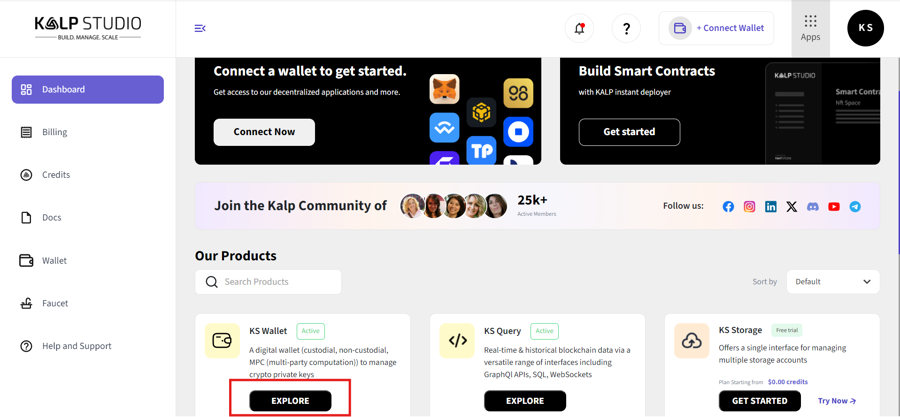 3. On the left-hand menu, select "Connect Widget" as shown in the dashboard.
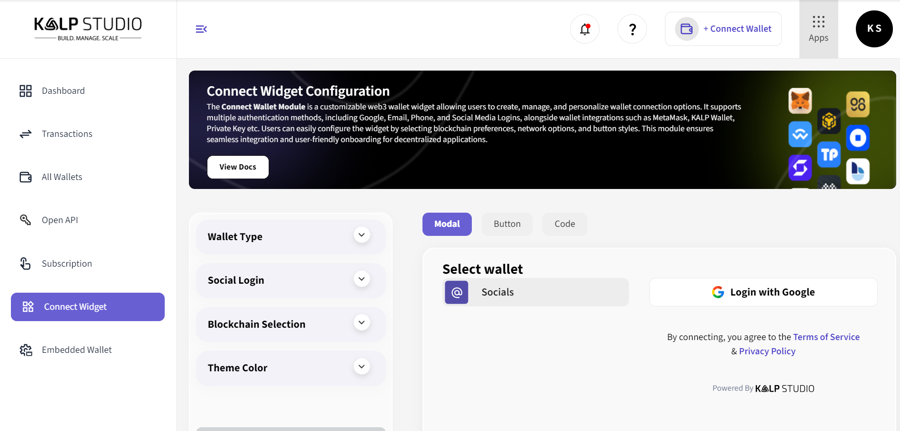
3. Configuring the Connect Widget
Step 1: Choose Wallet Type
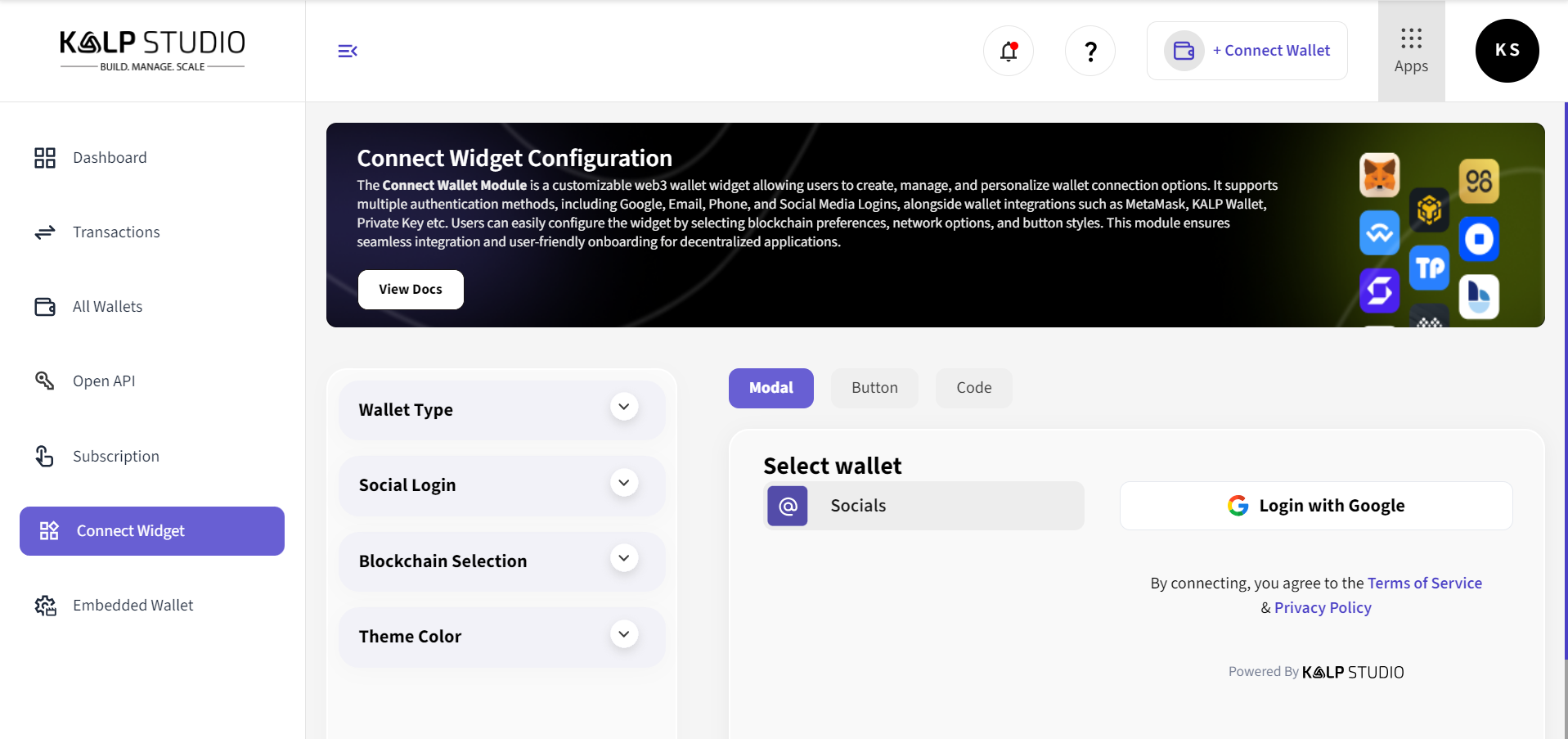
Navigate to the "Wallet Type" section.
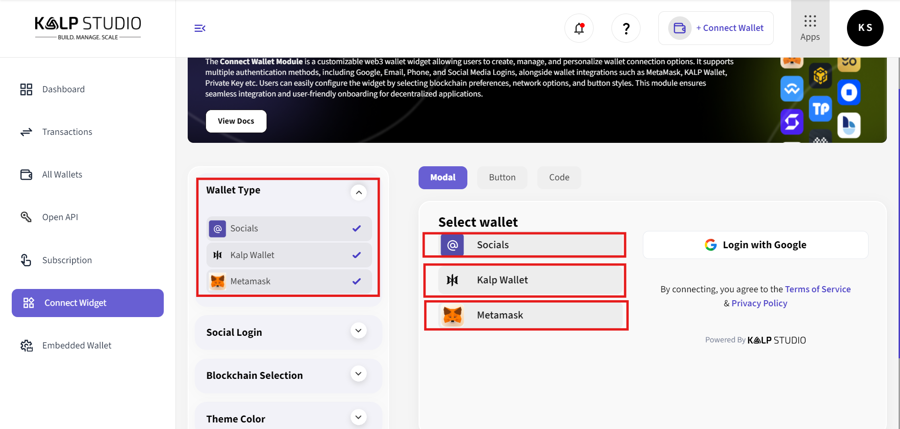
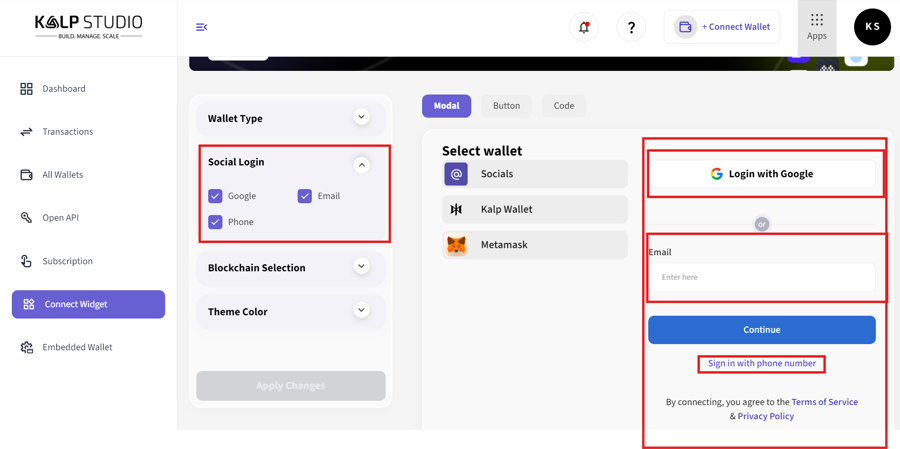
Step 2: Enable Social Login
Under "Social Login", enable options such as:
Step 3: Select Blockchain Options
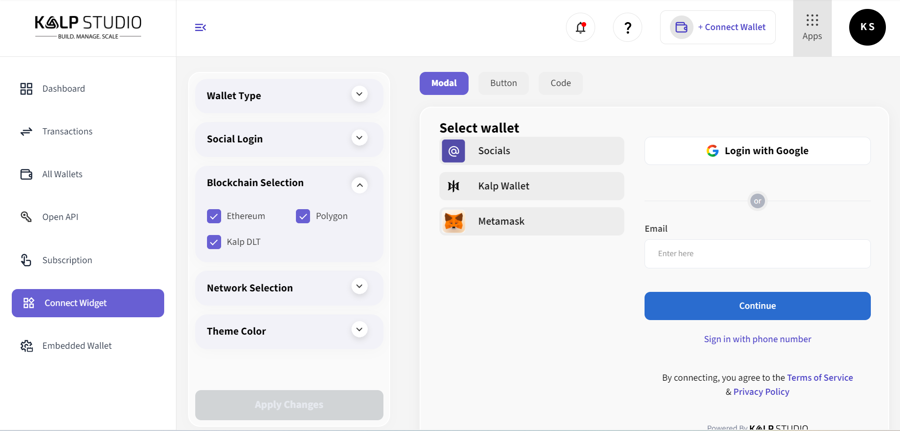
In the "Blockchain Selection" section, choose supported blockchains such as:
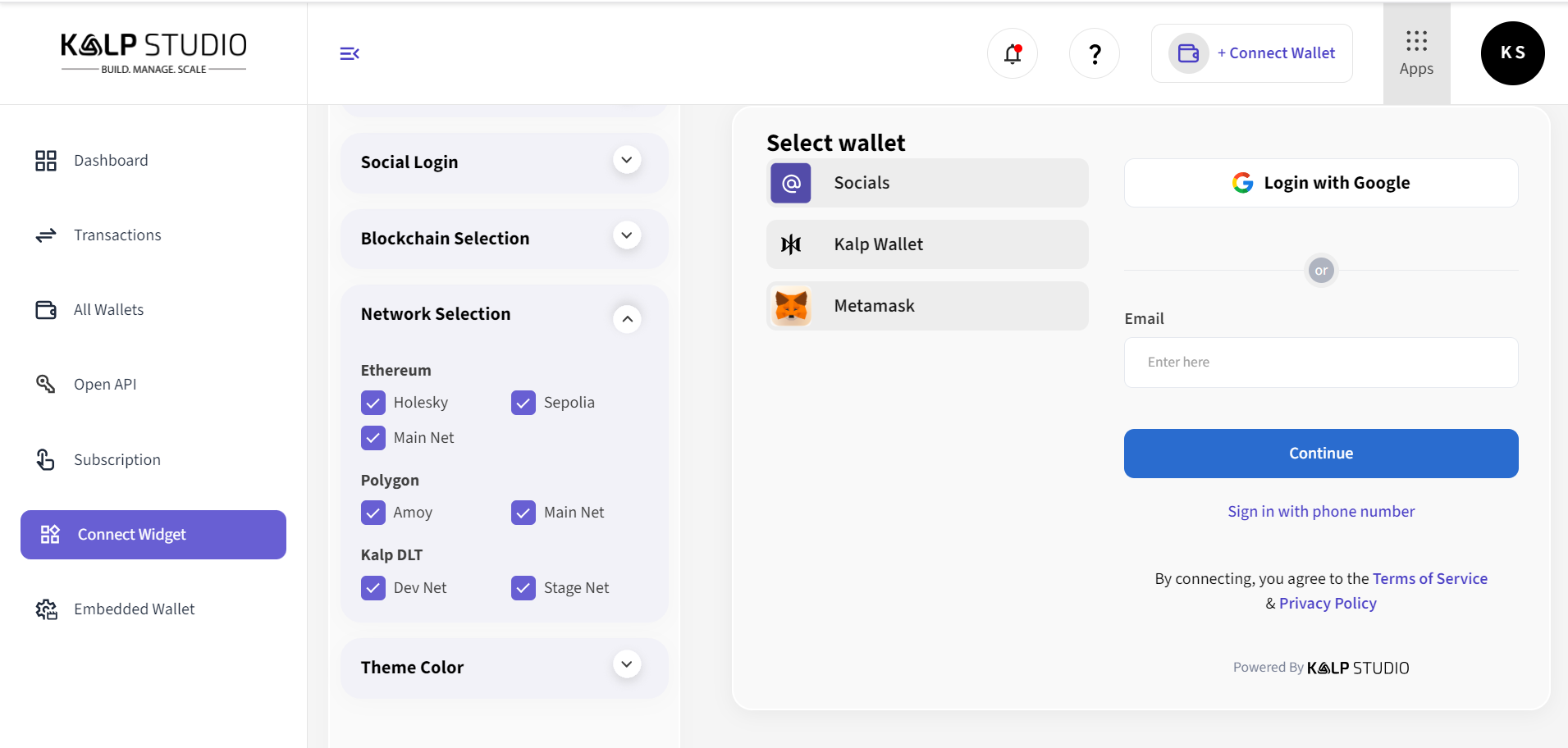
Step 4: Network Selection
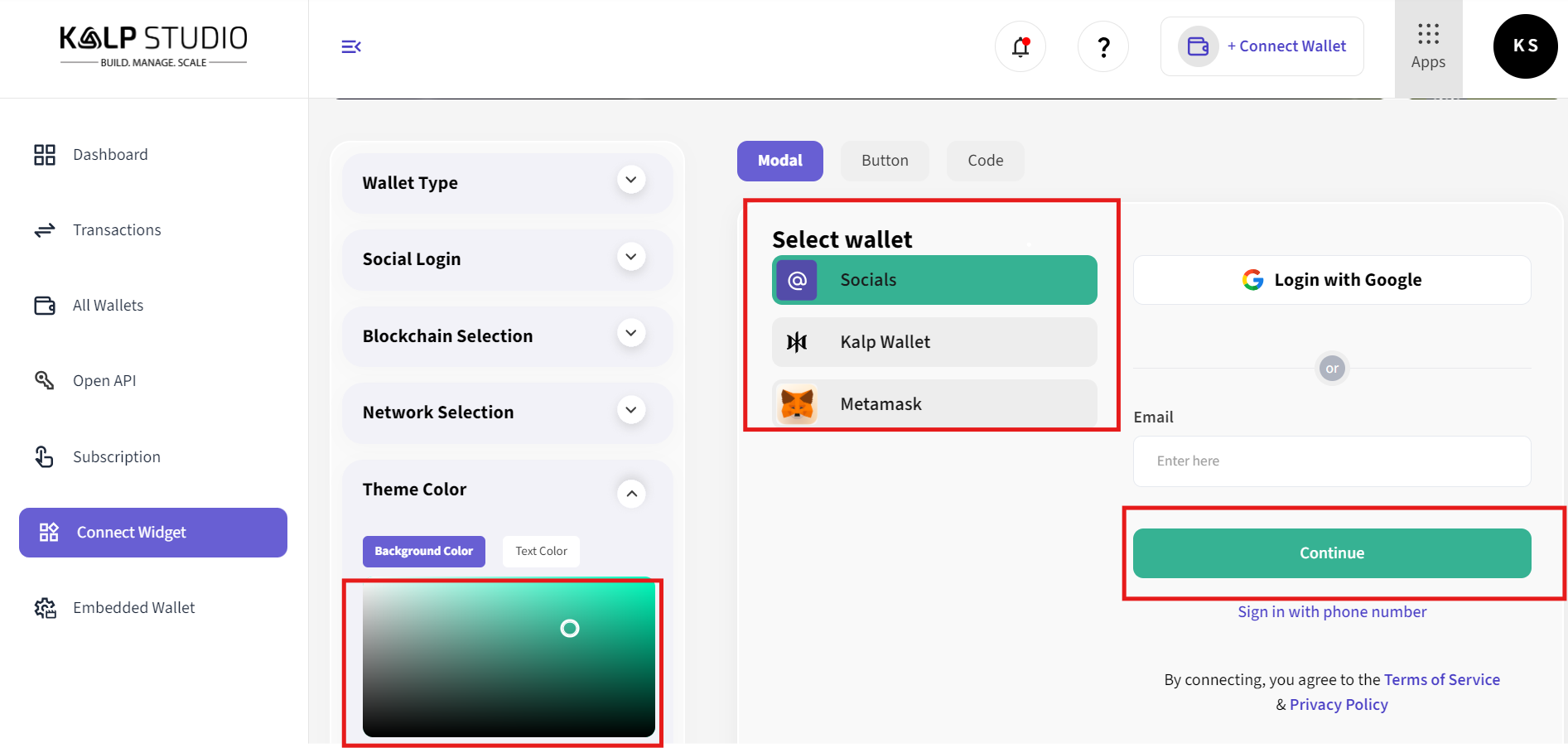
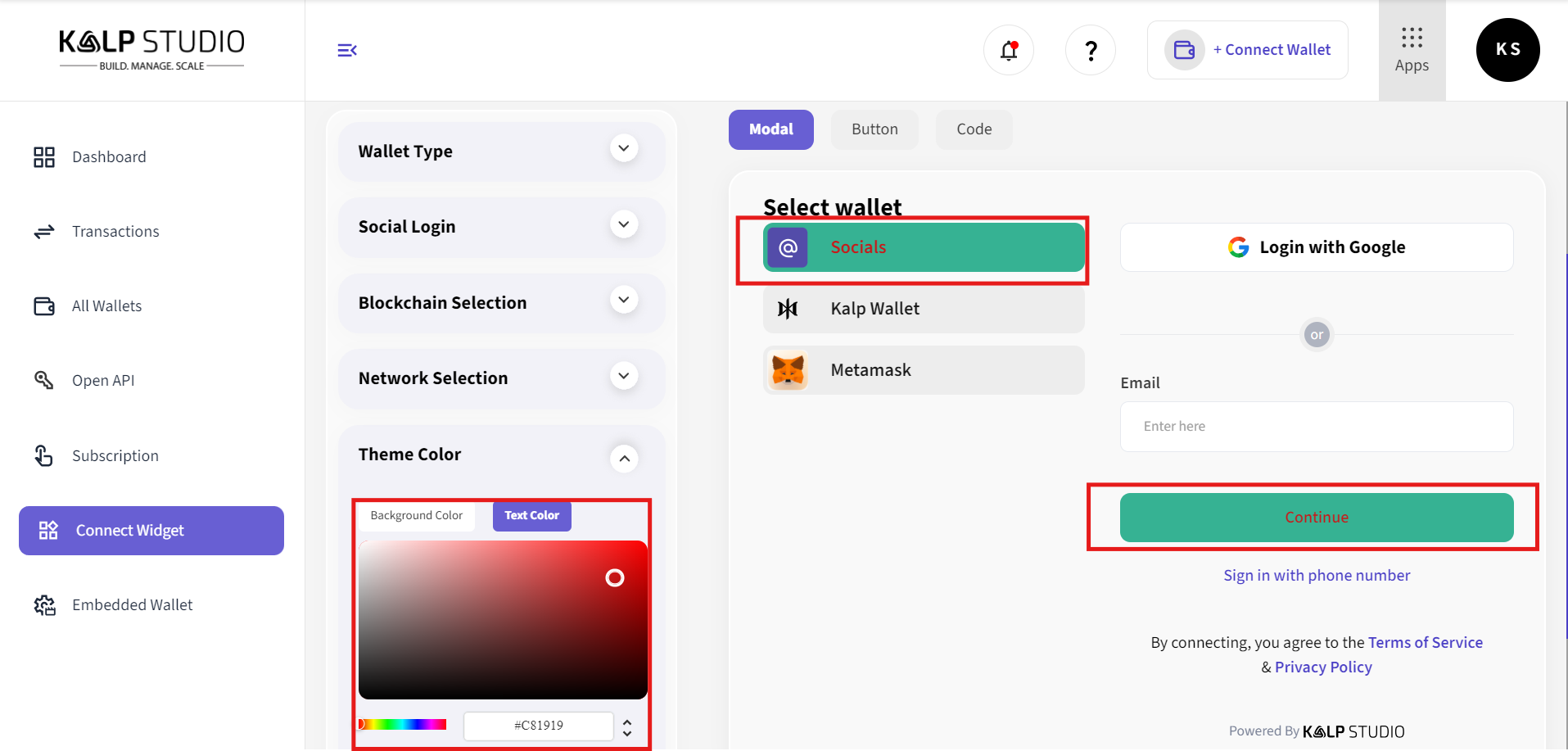
Step 5: Customize Theme Color
4. Selecting and Testing the Widget
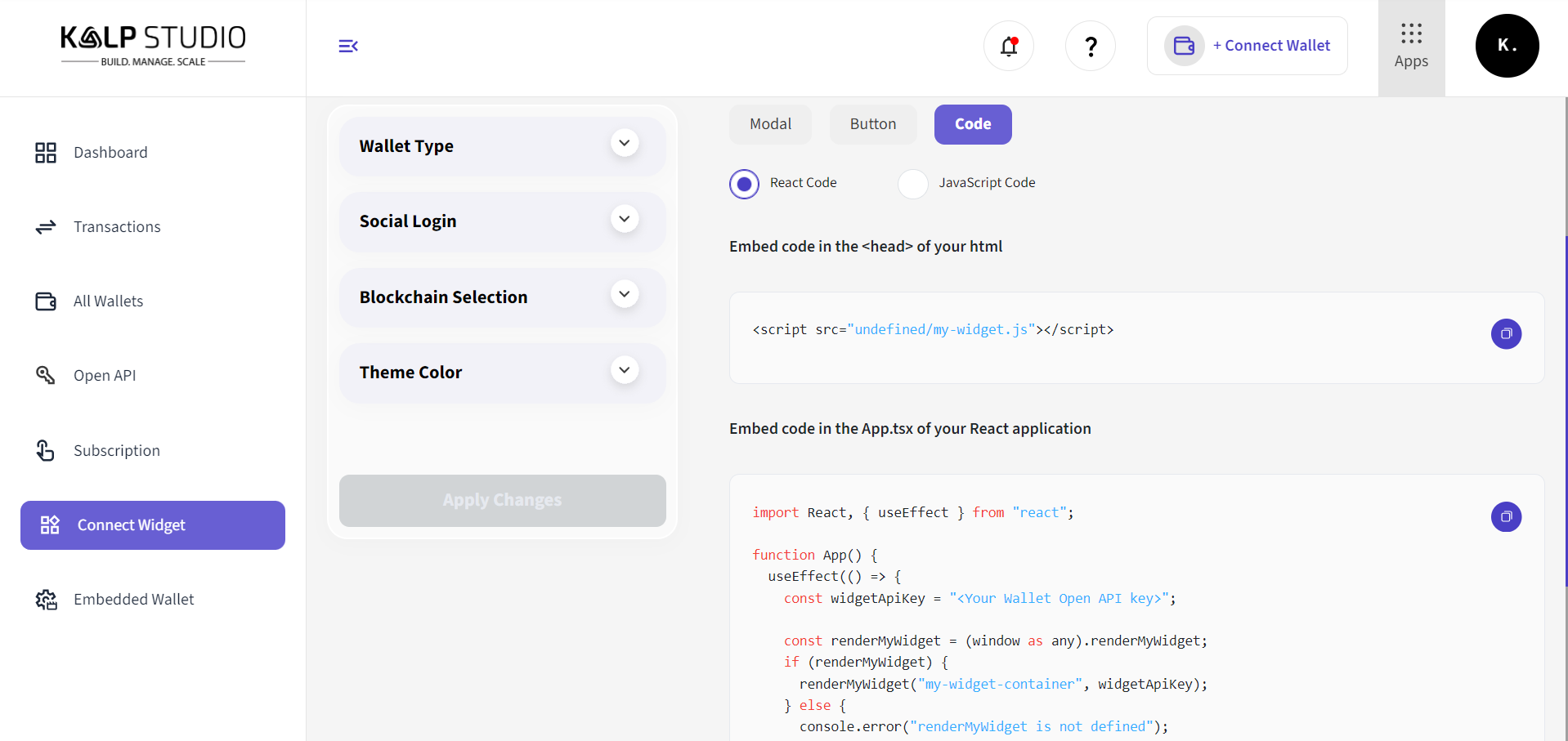
5. Code Configuration
6. Customize the Button
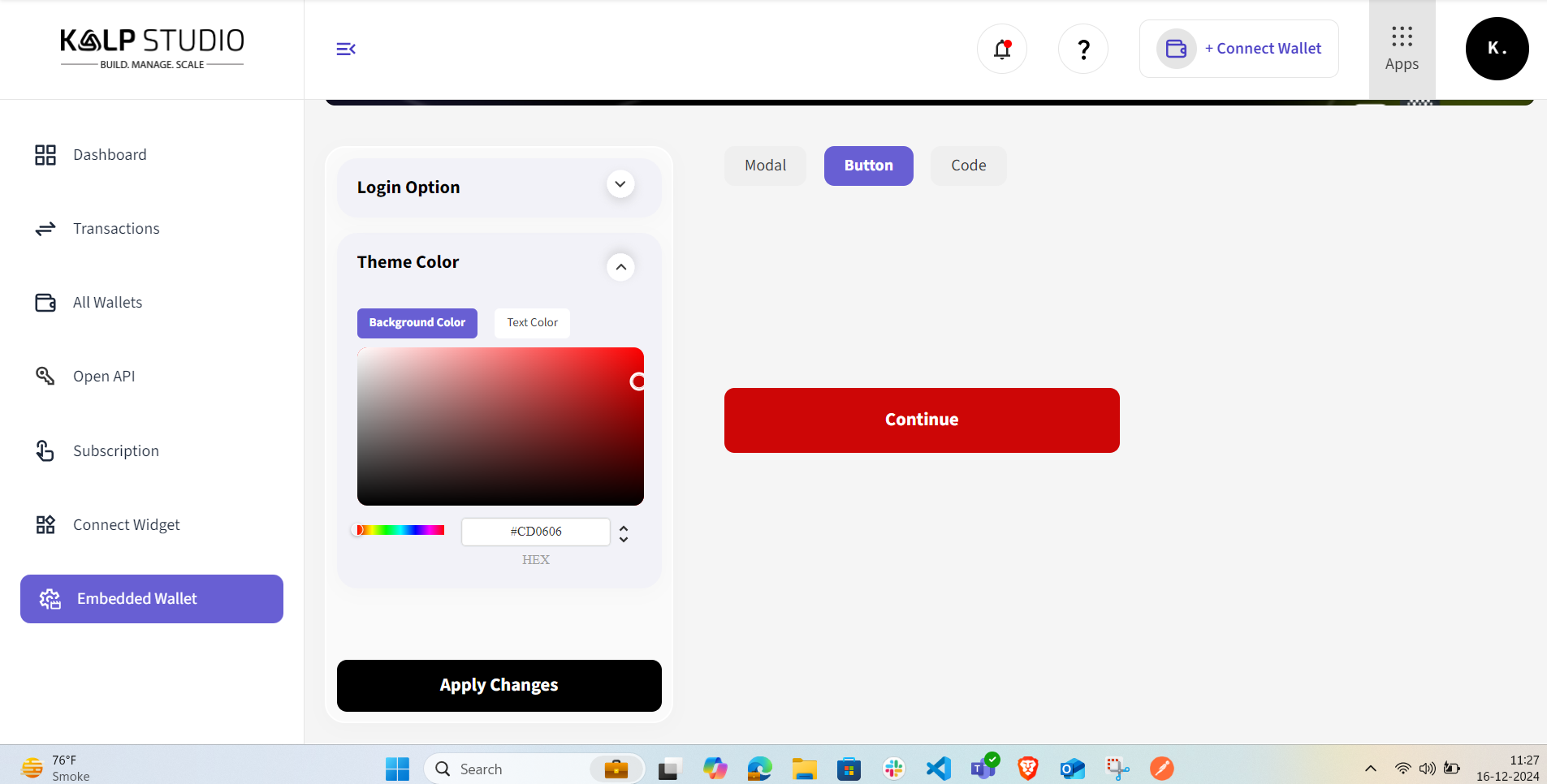
3. Apply Changes
4. Use the Button
7. Save and Apply Changes
Conclusion
Last updated